Veterinary Digital Forms Software 2026: A Buyer's Guide
A vendor-neutral guide to veterinary digital forms software in 2026: how paperless intake works, what it costs, and the questions to ask before you buy.

It is 7:52 on a Monday morning at a three doctor small animal practice, and the first appointment of the day is a new client with two cats. She arrives with a carrier in each hand and is handed a clipboard with four pages on it: a new client information sheet, a patient history form for each cat, a financial responsibility acknowledgment, and a photo release nobody has updated since 2019. She fills it out standing up, balancing the clipboard on a carrier, while her 8:00 slot burns down. At 8:06 she hands it back. The client service representative now has to read handwriting, key an address into the practice management system, guess whether that is a 1 or a 7 in the phone number, type in two patient records, decide what to do about the blank previous veterinarian line, scan all four pages, and attach the scan to the right record. That sequence takes about nine minutes, and it happens again at 8:30, and again at 9:15. This is the specific operational problem that veterinary digital forms software exists to solve, and it is one of the least examined purchases in the veterinary technology stack.
Forms are simultaneously the most universal workflow in a veterinary practice and the least strategically considered. Every practice has them. Every practice has too many of them. Almost no practice has a person whose job includes owning the form library, auditing it, or deciding when a form should be retired. Forms accumulate the way cables accumulate in a drawer, and the accumulation is invisible until someone tries to digitize the whole set and discovers there are forty-one of them, nine are duplicates, four reference a doctor who left in 2021, and two contain consent language a lawyer would not want to defend.
What makes this category worth taking seriously in 2026 is that the stakes have gone up. Forms are no longer only about saving CSR keystrokes. They are the front door to the client relationship, the legal record of what a client agreed to, the intake point for the history that drives the first exam, and increasingly the mechanism by which a practice documents declined services and financial responsibility. When a client disputes a charge, or a bite case goes to the health department, or a wellness plan cancellation gets contentious, the form is the artifact that decides how the conversation goes. Practices that treat forms as a paper reduction project buy the cheapest thing that produces a PDF. Practices that treat forms as a documentation layer ask harder questions and end up somewhere better.
The market has responded unevenly. Some practice management systems now ship genuinely capable native forms modules. Some client communication platforms bundle forms as one feature among fifteen. A handful of dedicated veterinary forms vendors write structured data back into the medical record. And a meaningful number of practices are quietly running their entire consent workflow on a generic business tool that was never designed for veterinary medicine. All four are defensible under the right circumstances and wrong under some other set.
This article is published by VetSoftwareHub, an independent vendor-neutral directory with no financial relationship with any of the companies covered here. We do not accept referral fees or equity positions, and we do not steer practices toward any particular product. What follows is a plain-language overview of the landscape.
Why veterinary digital forms software is harder than it looks
The pitch for going paperless is simple enough that it hides the complexity underneath. Send the form before the visit, the client fills it out at home, the data lands in the chart, everyone is happier. Four structural problems make this harder than the demo suggests.
A form is not a document, it is a data contract
The single most consequential distinction in this category is whether a completed form produces a document or produces data. A document is a PDF attached to the client record. Data is a set of discrete fields that populate the address line, the phone number, the species and breed, the alert flags, the medication list, and the signature block inside the practice management system, so that nobody retypes anything.

Most platforms will tell you they integrate. Far fewer will map field by field. The honest answer is that a large share of what gets sold as veterinary digital forms software produces a PDF attachment plus, at best, a handful of demographic fields written back to the client file. That still beats a clipboard, because it eliminates handwriting interpretation and the scanning step. But it is a very different product from one that puts a client's reported medication list into a structured field a doctor can see without opening an attachment, and the price gap between the two is often smaller than the capability gap.
PIMS integration depth varies enormously and is rarely documented
Veterinary practice management systems differ dramatically in how much they let outside software write into the record. Cloud-native systems with modern APIs can generally accept structured writes. Server-based legacy systems typically cannot, or can only through a middleware connector that runs on a workstation and syncs on a schedule. This is not a small technical footnote. It determines whether your forms tool is a genuine workflow replacement or a slightly better filing cabinet.
If you are already weighing a move to a cloud system, the integration question for forms should be part of that evaluation rather than a separate project later. Our guide to cloud-based veterinary practice management software covers how architecture affects what third party tools can and cannot do, and forms are one of the clearest illustrations of that principle in daily use.
Nobody owns the form library
In most practices, forms belong to everyone and therefore to no one. The surgery consent was written by a doctor who has since left. The boarding agreement came from a template a practice manager found online. The financial policy was updated when the practice switched payment processors and never reviewed since. Digitizing this set means someone has to make decisions about all of it, and that person usually does not exist on the org chart.
This is why forms projects stall. The software gets purchased in March, the first three forms get built in April, and the remaining thirty sit in a drawer through January. The tooling is rarely the constraint. The ownership is.
Veterinary households do not fit standard form logic
Human healthcare intake software assumes one patient, one form, one signer. Veterinary intake routinely involves a household with four pets, two owners who may or may not both be authorized to consent, a pet co-owned after a divorce, and a person dropping off who is not the owner at all. Add boarding facilities, groomers, and rescue partners, and the identity model gets complicated fast.
Generic form builders handle this badly. A client with three dogs should not complete the same twelve field patient history three times, and a practice should not end up with three separate submissions a CSR has to reconcile into one household. How a platform models the relationship between client, patient, and signer is worth real demo time, and it is almost never covered unless you ask.
The strategic value to practices
The operational case is the easiest to see and the easiest to overstate. Time savings here are real but distributed. A practice does not eliminate a CSR position because it went paperless. It recovers minutes across hundreds of interactions, and those minutes get reinvested in phone coverage, discharge conversations, and the general reduction of front desk chaos that is a genuine staff retention factor.
Run the arithmetic honestly. A practice seeing 45 new clients a month, at roughly seven minutes of transcription and scanning each, spends about five and a quarter hours monthly on new client data entry alone. Add 350 signed consents and estimates scanned and attached at 90 seconds each, and that is another nine hours. Fourteen hours a month works out to roughly $350 to $450 in loaded labor cost. It is a real number, and it is not a number that justifies a five figure investment. Anyone presenting forms software as a transformational cost saving is selling.
The financial case is stronger and less often discussed. Signed estimates matter. Documented declined services matter. A financial responsibility acknowledgment with a defensible timestamp matters the first time a client disputes a charge with their card issuer. Practices that move estimates and financial policies into a digital signature workflow generally report faster turnaround and fewer procedures beginning without documented authorization, a risk reduction that never shows up in a time savings calculation.
The clinical case is the one most practices underweight. A structured history completed at home, without a barking dog in the lobby and a CSR waiting, produces better information than one completed on a clipboard in ninety seconds. Clients remember medications more accurately when they can walk to the cabinet and read the label. Photo upload lets a client send the lesion as it looked three days ago, or the packaging of the supplement they cannot pronounce. For a first opinion appointment, that changes what the doctor walks into the room knowing.

The three categories of veterinary digital forms software
There are three categories of forms software serving veterinary practices, plus a fourth tier of general purpose tools that practices adopt informally. Each solves a different problem, and the differences matter more than any individual feature comparison.

PIMS-native forms modules
The first category is forms functionality built directly into the practice management system. ezyVet supports electronic signatures with completed forms flowing into the patient record without a separate scanning or re-entry step. Provet includes advanced e-signature capability as part of its platform. Shepherd, Digitail, and Covetrus Pulse all offer some level of native form and signature handling, and DaySmart Vet provides a drag and drop form builder that sends forms by text or email and delivers them into its client-facing app.
The structural advantage is significant: the forms tool and the record are the same system, so write-back is not an integration question. No connector to break, no sync interval, no finger pointing when a submission does not appear. The disadvantage is that native modules are often thinner. Conditional logic may be limited, design may be constrained, and the module may lag the roadmap because forms rarely win a PIMS deal. Early in a system evaluation, the practice management category is the place to compare what each platform includes natively before assuming you need to buy forms separately.
Dedicated veterinary forms platforms
The second category consists of vendors whose entire product is forms and intake for veterinary practices. Forms.VET focuses on client onboarding forms delivered through a practice website. FormHero from Vet Hero markets deep PIMS write-back, pre-filling forms with live practice management data, tablet-based in-clinic signature capture, and pulling estimates directly from the PIMS for signature. VetCheck bundles consent forms with e-signature alongside clinical tools including anesthesia and dental charting. ER Express built Intake Express around mobile-first registration and consent for emergency and referral settings, where the intake problem is acute and the client is often arriving unannounced and distressed.
These platforms go deeper than native modules on the things that only matter if forms are your whole product: conditional logic, pre-fill, document upload, signature audit trails, and library management across locations. The tradeoff is that you now own an integration, and integrations have maintenance costs, contract terms, and failure modes. Dedicated tools fit practices with high intake volume, emergency and specialty caseloads, multi-site standardization requirements, or a practice management system whose native module is genuinely inadequate.
Client communication platforms with forms included
The third category is the largest by installed base. Client engagement and communication platforms have added forms to suites that already handle reminders, two-way texting, online booking, and payments. PetDesk offers digital forms alongside its communication and booking tools. Otto includes forms in its Flow module and ties them to appointment confirmation workflows so the form is attached to the reminder rather than sent as a separate message. Vello, built specifically for IDEXX systems including ezyVet, Neo, and Cornerstone, handles pre-appointment communication and instructions with the deep write-back that comes from being built by the same company that builds the record. Vetstoria is centered on real-time online booking with forms as part of the surrounding client workflow, and Covetrus Comms plays a similar embedded role inside the Covetrus systems.
The appeal is consolidation. One vendor, one integration, one bill, one support relationship, and forms triggered automatically by appointment type rather than sent manually. That last point matters more than it sounds. A form a staff member has to remember to send will be sent inconsistently. A form that fires when a surgical appointment is booked will not. The tradeoff is that forms in a bundle are rarely the deepest implementation available, and you are choosing a forms product as a byproduct of choosing a communication product. Our client engagement category lays out the broader landscape if forms are one requirement among several.
The fourth tier: general purpose tools
Then there is what practices actually do when none of the above is budgeted. Jotform and Typeform are widely used in veterinary practices, along with Google Forms and standalone e-signature tools. Jotform in particular publishes veterinary-specific templates for intake, new client registration, and boarding check-in, which is exactly why it shows up so often.
There is nothing inherently wrong with this. A one doctor practice running a clean Jotform intake workflow is ahead of a three doctor practice still using clipboards. But the limitations are worth naming plainly. There is no PIMS integration, so someone is still retyping. Form design is not informed by veterinary workflows, so multi-pet households and consent hierarchies have to be improvised. And the retention behavior and signature audit trail were designed for general business use rather than for a document that may need to be produced in a licensing board complaint.
The metrics and features that matter
Feature lists in this category all look similar. These are the differentiators that actually separate platforms once you get past the demo.
Integration depth, measured in fields rather than adjectives
Ask any vendor which specific fields write back into your specific practice management system, and ask them to demonstrate it rather than describe it. The useful question is not "do you integrate with our PIMS" but "when a client completes this history form, what exactly appears in the patient record, in which fields, and what still requires a human to move." The gap between those two questions is where most disappointment in this category lives.
Signature capture and the audit trail behind it
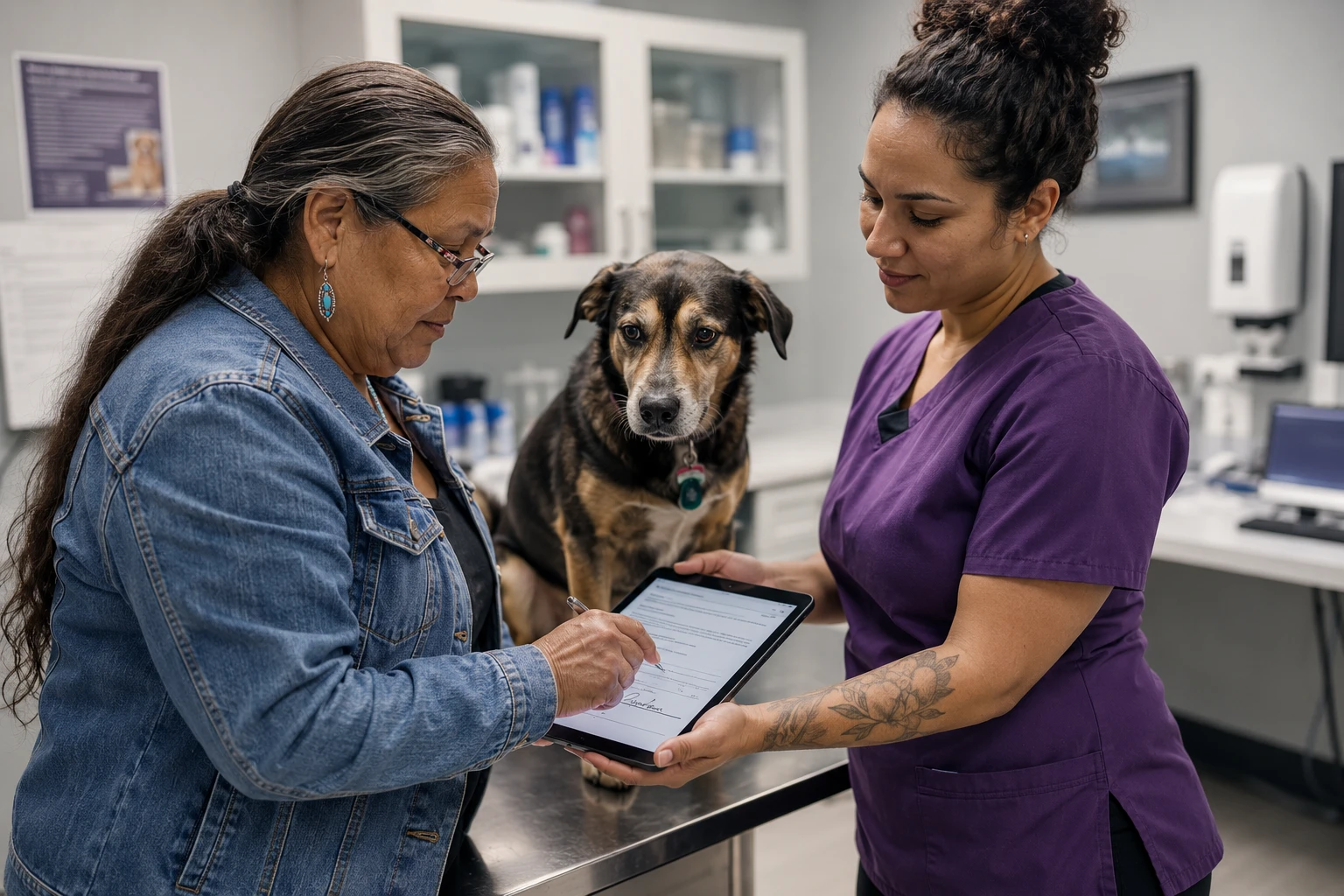
Electronic signatures are legally recognized in the United States under the federal ESIGN Act and state adoptions of UETA, and they carry the same weight as ink when four conditions are met: the signer intended to sign, both parties consented to transacting electronically, the signature is logically associated with the specific record, and the record is retained in a form that can be accurately reproduced later.
Those four conditions are the entire ballgame, and most veterinary buyers never ask about the fourth. What does the platform store alongside the signature? A defensible audit trail typically includes a timestamp, an IP address or device identifier, the exact document version presented at signing, and a record of the affirmative action the signer took. A signature image pasted onto a PDF with no surrounding metadata is much weaker evidence. Ask to see what the audit trail looks like, not whether one exists.
Conditional logic and branching
Conditional logic is the difference between a form that asks eleven questions and a form that asks forty. If the client answers no to the question about current medications, the form should not display eight follow-up fields. If the client indicates a prior anesthetic reaction, the form should open a free text field and flag the submission for review. Branching drives completion rates, and completion rate is the metric that determines whether this purchase delivers anything at all. A form nobody finishes produces a clipboard workflow with extra steps.
Photo and document upload
Upload capability sounds like a minor convenience and is not. Clients can send prior rabies certificates, records from a previous practice, insurance information, images of a lesion, and photographs of medication and supplement labels. For a new client appointment, that upload path routinely produces information the practice would otherwise spend two phone calls chasing. Ask how uploaded images are stored, whether they attach to the patient record or only to the form submission, and what the file size limits are.
Multi-pet and multi-signer handling
Test this specifically during any demo. Bring a realistic scenario: a household with three pets and two adults on the account, one of whom is bringing a pet in today. A capable platform completes household demographics once, iterates only the patient-level questions, records who actually signed, and lands everything in the correct records without manual reconciliation. A weaker platform sends three separate links and produces three separate submissions.
Language support and reading level
A meaningful percentage of clients in many markets are more comfortable completing intake in a language other than English. Some platforms support multilingual versions natively; many do not, and the workaround is parallel form libraries, which doubles the version control burden. Related and equally underexamined: the reading level of consent language. Consent a client cannot understand is weak consent regardless of how cleanly it was captured, and digitization is a good moment to fix language that has been quietly too dense for years.
Delivery mechanics and completion rate
How the form reaches the client matters more than the form itself. Text delivery generally outperforms email. Links that open without an app download or account creation outperform portals. Forms attached to an appointment confirmation outperform standalone messages. Forms that pre-fill known client data outperform blank forms, because a returning client asked to retype their address will frequently abandon.
Ask vendors what completion rate their veterinary customers see, how it is measured, and what happens to the client who does not complete it before arrival. Every practice needs an in-clinic fallback: a tablet, a kiosk, or a QR code at the front desk. Tablet signature capture in the exam room or in the field is its own consideration, and our mobile veterinary software buyer's guide covers device and signature handling for teams working outside a fixed front desk.
Version control and retention
Consent language changes, and when it does you need to know which version a client signed and be able to produce it years later. Ask how the platform handles versioning, how long submissions are retained, and what the export looks like if you leave. A platform that cannot produce a complete, portable archive of signed documents is holding part of your legal record hostage.
What practices typically pay for veterinary digital forms software
Pricing in this category spans a wide range because the category spans four different product types.
PIMS-native forms modules are frequently included in the base subscription, or offered as an add-on in the range of $25 to $100 per month. This is the least expensive path by a wide margin, which is why it deserves honest evaluation rather than dismissal. If your system's native forms are adequate for your actual workflows, buying a second system is a solved problem you are paying to solve again.
Dedicated veterinary forms platforms generally land between $75 and $300 per month per location, with pricing that scales by form volume, number of locations, or depth of integration. Setup and form building are sometimes billed separately and sometimes included, which is worth clarifying before signing, because building thirty forms is a real services engagement.
Client communication platforms that include forms price the whole bundle rather than forms individually. Published figures illustrate the range: PetDesk's core offering has been listed starting around $389 per month, with Vetstoria's direct booking available as an add-on starting around $200 per month or standalone around $350 per month. Most vendors in this segment quote rather than publish. The forms component is essentially never priced separately, which means the forms comparison has to happen inside a broader platform comparison.
General purpose tools like Jotform and Typeform typically run $30 to $100 per month for the tiers that include signature and conditional logic capabilities.

The ROI math should be done before the demo rather than after. Take your monthly new client count and multiply by the minutes your team spends transcribing and scanning each intake packet. Add your monthly volume of signed consents, estimates, and agreements, multiplied by the time to print, chase, scan, and attach each one. Convert to a loaded hourly rate. For a typical three doctor practice that number tends to land between $300 and $600 per month, which comfortably supports a native module or a mid-priced dedicated platform, and supports a full communication suite only if you are also getting reminders, booking, and payments out of the same spend.
One caution: forms savings are real but not additive with the other savings a bundled platform claims. If the same twelve hours a month get counted once for forms, once for reminders, and once for online booking, the vendor's business case is triple counting your front desk. Model the total, not the sum of the parts. Our five year total cost of ownership calculator is built for this kind of multi-system comparison, including the renewal uplifts that turn a reasonable year one number into an unreasonable year four number.
Implementation considerations
Inventory and prune before you build

Before you build a single digital form, print every form your practice currently uses and lay them out on a table. Most practices are surprised by the count. Then make three piles: actively used and still accurate, used but needing updated language, and not handed to a client in two years. The third pile is usually larger than anyone expects, and deleting it is the highest return activity in the project.
This is the same discipline that makes a practice management migration go well. Documenting what you actually do before buying software to do it differently prevents you from paying a vendor to replicate a broken process. Our guide on how to document your current workflows before replacing software walks through it in detail.
Get consent language reviewed before you digitize it
Digitization freezes language. Whatever consent text you load will be presented, unmodified, to every client who signs it for years, with a timestamp and an audit trail proving exactly what they agreed to. That is a substantial upgrade in evidentiary quality, and it cuts both ways. If the language is vague, outdated, or overreaching, you are now producing clean documentary evidence of vague, outdated, or overreaching consent. Have a veterinary attorney in your state review surgical and anesthesia consent, euthanasia authorization, financial responsibility language, and anything about declined services before those forms go live. It is a small, one time expense relative to the exposure.
Understand what your state expects on regulated documents
Consent forms and intake forms are, in most jurisdictions, ordinary business records where standard electronic signature law applies. Certain other documents carry specific requirements. The rabies vaccination certificate, standardized nationally as NASPHV Form 51 and required by state regulation in various forms, includes a veterinarian signature field, and states differ in what they will accept, how the certificate must be issued, and what the practice must retain. Controlled substance recordkeeping carries its own federal and state requirements, separate from client-facing consent workflows entirely.
The practical guidance is simple. Client-facing digital consent forms are on well established legal ground when the platform handles intent, consent to transact electronically, association with the record, and retention properly. Regulated certificates and controlled substance records are a different question, and the answer comes from your state veterinary board and your state's rabies regulations rather than from a vendor's marketing page. Do not let a general assurance about electronic signatures substitute for checking a specific requirement in your state.
Decide who owns the library, in writing
Assign one person. Give them authority to approve form changes, a scheduled annual review, and a defined process for how a doctor requests a new form. Practices that skip this end up eighteen months later with fourteen versions of a surgical consent, three in active use, and no record of which clients signed which.
Plan for the client who will not complete it in advance
Some percentage of your clients will not complete a form before arrival. That percentage depends on your demographics, delivery mechanism, and reminder cadence, but it is never zero. Decide the in-clinic path in advance, make sure a staff member can trigger the form on a tablet in under fifteen seconds, and make sure the submission lands in the same place as a pre-arrival one. Practices that skip this end up running a digital process and a paper process indefinitely, which is worse than running either alone.
Ten questions to ask veterinary digital forms software vendors during a demo

-
In our practice management system specifically, which fields from a completed new client form write back automatically, and which still require a staff member to move manually?
-
What does the signature audit trail contain? Show me an actual record, including timestamp, device or IP information, and the document version presented.
-
How does the platform handle a household with three pets and two authorized owners, where one of the two is presenting today? Walk me through what the client sees and what we receive.
-
What completion rate before arrival do veterinary practices of our size see, how is it measured, and what is the in-clinic fallback when a client has not completed the form?
-
Can forms be triggered automatically by appointment type, patient age, species, or visit history, and how are those rules configured?
-
What conditional logic is supported, and can you build a branching question live during this demo rather than showing a pre-built example?
-
If we update our surgical consent language next spring, how do we determine which version a specific client signed last fall?
-
What happens to our signed documents if we cancel? What is the export format, how long does it take, is there a fee, and does it include the audit trail?
-
Which languages are supported natively, and how are multilingual versions kept in sync when the English version changes?
-
What is the total first year cost including implementation, form building, integration setup, and training, and what is the contractual renewal increase cap after that?
Common mistakes practices make
The first mistake is evaluating forms as a checkbox inside a larger platform purchase. When a practice buys a communication suite, forms are item nine on a fourteen item feature list and get ninety seconds of demo time. Eight months later the practice discovers the module does not support conditional logic or does not write anything back to the chart. If forms are a significant workflow, insist on a dedicated forms demo using your actual forms.
The second mistake is digitizing the paper form verbatim. A paper form is a compromise shaped by the constraint that everything fits on one page and nothing changes based on an answer. Digital forms have neither constraint. Rebuilding the paper layout field for field preserves every compromise and captures none of the benefit. Forms that perform well are redesigned around conditional paths, not transcribed.
The third mistake is assuming integration means write-back. A vendor can accurately say they integrate with your practice management system when what they do is deposit a PDF into the documents tab. That is an integration. It is not data flow, and if you assumed data flow, you will have bought a scanner replacement at a workflow automation price. Get the specifics in writing before signing, and verify with a current customer running the same practice management system you run.
The fourth mistake is ignoring the audit trail until there is a dispute. Nobody thinks about signature metadata during a sales cycle. Everybody thinks about it the first time a client asserts they never authorized a dental extraction. Ask the question when it costs five minutes rather than when it costs a claim.
The fifth mistake is letting forms sprawl after launch. New tooling makes forms easy to create, and easy creation without governance produces a library worse than the paper one it replaced, because at least the paper one was constrained by a physical filing cabinet. Practices that launch with twelve well designed forms and hold that number are far happier at the two year mark than practices that drift to fifty.
A related pattern: practices adopting forms software and wellness plan software separately often end up with plan enrollment agreements in one system and every other client agreement in another. Plan agreements carry specific requirements around term, cancellation, and payment authorization that general forms tools handle inconsistently. Our wellness plan software buyer's guide covers where that boundary usually falls.
A simple framework for narrowing the shortlist
Start with what you already own. Open your practice management system, find the native forms capability, and run one real form through it end to end with a staff member timing the process. Do this before you take a single vendor call. A surprising number of practices buy a forms platform to solve a problem their existing system solves adequately, because nobody tested the native module past the first screen.
If the native module falls short, the next question is whether forms are your only gap or one of several. If you are also unhappy with reminders, online booking, or two-way texting, the consolidation logic favors a client communication platform, and forms become one criterion inside a larger decision. If forms are genuinely the isolated problem, and especially if your intake volume is high or your caseload is emergency or specialty, a dedicated forms platform will usually go deeper for less money than a full suite.
Then apply a single filter that eliminates most of the field quickly: does this platform write structured data into our specific practice management system, verified by demonstration rather than description. Everything that survives is a legitimate candidate. Everything that fails is a document management tool, which may still be worth buying, but should be priced and evaluated as one.
Finally, weight the boring criteria. Retention and export terms. Renewal increase caps. Whether the vendor builds your initial form library or hands you a builder and wishes you luck. Whether support answers in hours or days. These determine whether you are still satisfied in year three, and they are systematically underweighted during a sales cycle optimized to showcase the interface.
Closing thought
Forms are the most honest diagnostic in a veterinary practice. If you want to know how a practice actually runs, do not look at the mission statement or the equipment list. Look at what a new client is handed at 8:00 on a Monday, how many times the same information gets keyed, and whether anyone can tell you what version of the surgical consent a specific client signed in March. Those three answers say more about operational discipline than most site visits do.
The technology to fix this is not expensive relative to almost anything else in the stack, and it has existed for years. What is scarce is not software. What is scarce is the decision to treat forms as a system that someone owns rather than a stack of paper that accumulates. Practices that make that decision get a better client experience, a cleaner medical record, and a defensible documentation trail, usually for less than they expected to pay. Practices that do not will buy the software anyway and end up running it alongside the clipboard.
If you are working through this alongside a broader practice management system decision, or trying to sort out whether your forms gap is really a forms problem or a symptom of a system that cannot support the way your practice works now, that is the kind of question the PIMS Selection Navigator engagement is built to work through. It is fixed-fee, practice-side only, and structured around your actual workflows rather than a vendor's feature grid.
About the Author

Adam Wysocki
Contributor
Adam Wysocki, founder of VetSoftwareHub, has over 35 years in software and almost 10 years focused on veterinary SaaS. He creates practical frameworks that help practices evaluate vendors and avoid costly mistakes.
Connect with Adam on LinkedIn


