Veterinary Client Communication Software Compared 2026
Compare veterinary client communication software in 2026: features, pricing and a buyer's framework across PetDesk, AllyDVM, PetsApp, Vet2Pet and more.

It is 8:12 on a Monday morning. The clinic does not open for another eighteen minutes, but three phone lines are already lit. One is a client who wants to know if her dog can eat before tomorrow's dental. One is a refill request that will take four minutes and three hold transfers. The third has gone to voicemail, where it joins eleven others left over the weekend. A technician is standing at the front desk trying to confirm the day's appointments by phone, one number at a time, while a client who arrived early waits at the counter to be checked in. By the time the doors open, the team is already behind, and not one of those interactions required a veterinarian or a medical decision. This is the problem that veterinary client communication software is built to solve, and it is the reason a category that barely existed fifteen years ago now sits near the center of how modern practices operate.
Veterinary client communication software covers the tools a practice uses to reach pet owners and let pet owners reach back: appointment reminders, two-way texting, online booking, mobile apps, refill requests, payment links, post-visit follow-ups, review requests, and increasingly, automated marketing. For a long time these were nice-to-have add-ons. They are not anymore. Client expectations have shifted decisively toward digital self-service, the kind people already use to book a haircut, refill a human prescription, or message a dentist. At the same time, the labor math at the front desk has gotten harder. Staffing is tight, call volume is unforgiving, and every phone call that a client could have handled on their own is time a practice is paying for without billing for it.
The strategic stakes are higher than they look from the front desk. Communication tools sit directly on top of the two numbers that decide whether a practice grows: how many existing clients come back, and how many of the visits a doctor recommends actually get booked. A reminder that reaches a client at the right time is the difference between a wellness visit this quarter and a lapsed patient next year. The category overlaps heavily with what the industry calls client communications, and the line between communication, marketing, and retention has blurred to the point where most buyers are no longer shopping for a single feature. They are shopping for a layer that wraps around their practice management system and changes how the whole front of the house runs.
That blurring is also why this category is unusually hard to shop for. The six products most practices compare, PetDesk, Vetstoria, AllyDVM, Vet2Pet, PetsApp, and Chckup (now Chckvet), do not actually do the same things, are not owned by the people you might assume, and in at least one case are no longer separate companies at all. Before you can compare them, you have to understand what has happened to the market underneath them.
This article is published by VetSoftwareHub, an independent vendor-neutral directory with no financial relationship with any of the companies covered here. We do not accept referral fees or equity positions, and we do not steer practices toward any particular product. What follows is a plain-language overview of the landscape.
Why veterinary client communication software is harder than it looks
The honest answer is that this category looks simple from the outside and turns out to be a tangle once you start shopping. A few structural reasons explain why.
The first is consolidation. Several of the names practices search for are no longer independent, and at least one head-to-head comparison that pet owners and practice managers type into Google has been quietly overtaken by an acquisition. Vetstoria, the online-booking specialist, was acquired by Petvisor, the same parent company that owns PetDesk. In North America its booking product has been folded into the PetDesk suite and rebranded as PetDesk Direct Booking, while the Vetstoria name continues internationally. So when someone asks "PetDesk vs Vetstoria," the truthful response in 2026 is that, in the United States, they are increasingly two parts of one company rather than two competitors. Vet2Pet is owned by Vetsource. AllyDVM is owned by MWI, part of Cencora. Rapport, a name many veterans of the category will recognize, is now Covetrus Comms. TeleVet rebranded to Otto. Chckup rebranded to Chckvet in early 2025. None of this is hidden, but very little of it is obvious from a product website, and it changes the shape of any honest comparison.
The second reason is that the category has no agreed-upon boundary. A "communication" tool from one vendor is a reminder engine and a texting inbox. From another vendor it is a full client-facing mobile app with payments, loyalty points, online booking, an AI scribe, and a phone system bolted on. Comparing those two products feature for feature is like comparing a bicycle to a car because both have wheels. The work of shopping is partly the work of figuring out which problem you are actually trying to solve.
The third reason is the integration layer. Almost every one of these products has to read from and write to your practice management system to be useful, because that is where the appointments, reminders, and client records live. The depth and reliability of that integration varies enormously, and it is the single most common place where a tool that demos beautifully turns into a daily frustration. A reminder system that cannot write a confirmation back into the PIMS, or that syncs only once an hour, will quietly create double-bookings and reminders sent to deceased patients. The quality of the integration is rarely visible in a sales demo and almost always visible by week three.
The fourth reason is that the buyer and the user are not the same person. The practice owner or manager signs the contract and cares about retention, revenue, and cost. The front-desk team and technicians live in the inbox every day and care about whether it is fast, whether it interrupts them, and whether it makes clients angry. A tool can win the financial argument and lose the front desk, and a tool the front desk loves can quietly fail to move the numbers the owner was promised. Any serious evaluation has to satisfy both.
The strategic value to practices
Set the features aside for a moment and look at what these tools are actually for. The value shows up in three places: operations, finances, and clinical outcomes.
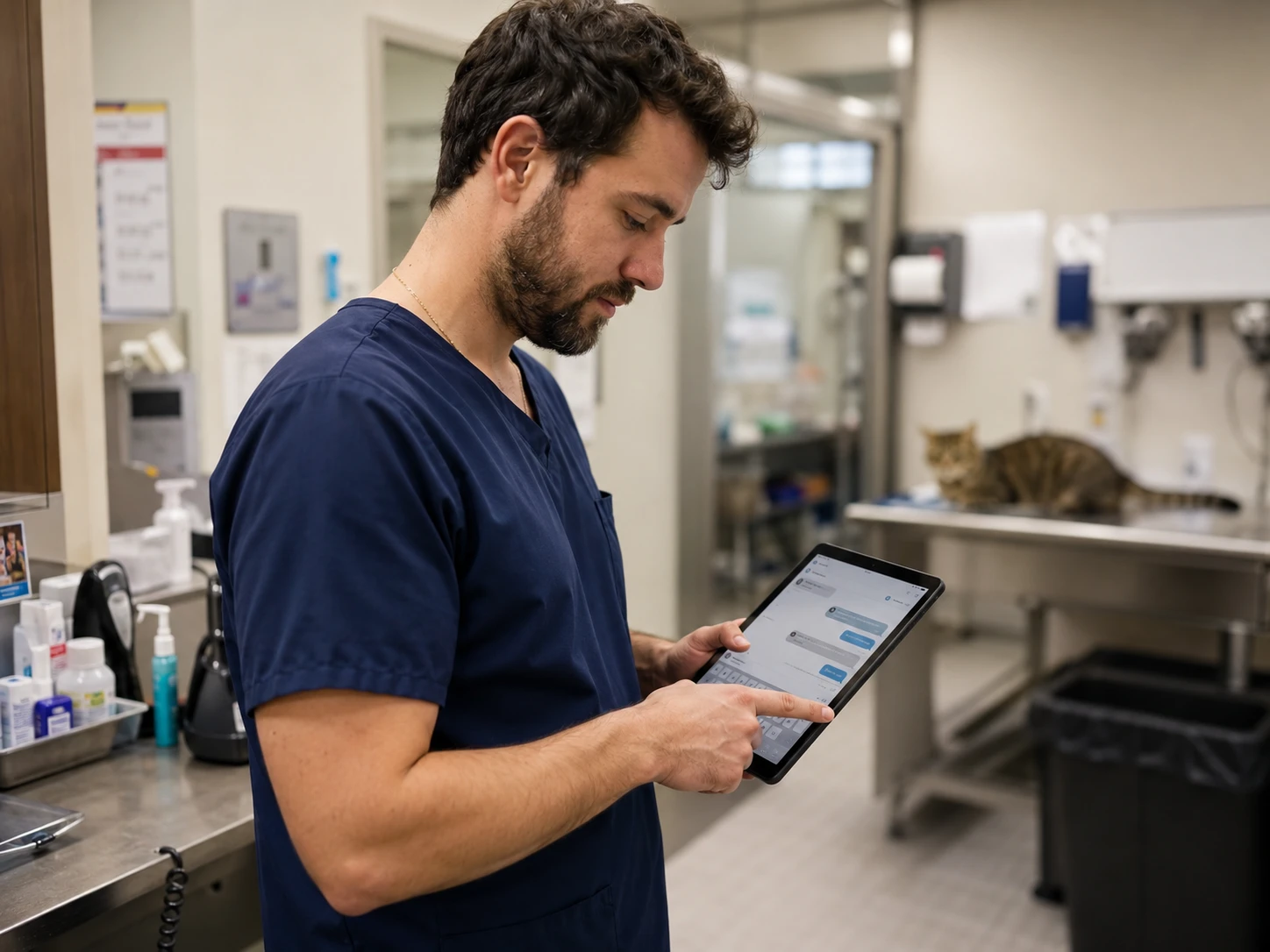
Operationally, the prize is phone-call deflection. The phone is the most expensive and least scalable channel a practice owns, and a large share of inbound calls are routine: confirming appointments, requesting refills, asking for hours or directions, checking on a hospitalized pet. When clients can do those things by text or in an app, the call volume drops and the team gets time back. Vendors in this space routinely report practices reclaiming several hours of staff time per day and cutting calls by a third or more. Those figures are vendor-supplied and should be read as marketing rather than measurement, but the direction is real and consistent across the category. Fewer calls means a calmer front desk, shorter client wait times, and a team that can give attention to the people physically standing in the lobby.
Financially, the leverage points are no-shows and lapsed clients. Automated, multi-channel reminders measurably reduce missed appointments, and every missed appointment is an empty slot that cannot be resold on short notice. The larger and slower-burning number is retention. Industry data has shown visit frequency stretching out and active patient counts slipping, which means the practice that systematically re-engages overdue clients has a structural advantage over the one that waits for the phone to ring.
Clinically, better communication translates into better adherence, which translates into better medicine. A client who receives a clear, well-timed reminder is more likely to come in for the recheck, finish the medication, and keep up with preventives. Post-visit messages that reinforce what the doctor recommended close the gap between the exam room and the kitchen table, where compliance actually succeeds or fails. None of this replaces the conversation in the room, but it extends it, and extended conversations are how recommendations turn into care.

It is worth being clear-eyed about the limits, too. These tools amplify whatever a practice already does. A clinic with sloppy reminder protocols and an unmanaged inbox will get faster, more automated chaos. The software is leverage, not a strategy, and the practices that get the most out of it are the ones that already had a point of view about how they wanted to communicate.
The three categories of veterinary client communication software
The fastest way to make sense of a crowded shelf is to stop comparing every product to every other product and instead sort them into three categories. Almost every tool in this space fits, more or less, into one of them, and knowing which category you are shopping in eliminates most of the noise.
Pure communication and point tools
The first category is the focused tool that does one job well. The clearest example is online booking: a product whose core purpose is to let clients schedule appointments themselves, with rules that protect the doctor's calendar, and to write those appointments back into the PIMS. Reminder-and-texting tools also live here, as do standalone review-request and follow-up tools. The appeal is depth and simplicity. A booking specialist tends to handle the genuinely hard parts of self-scheduling, such as appointment-type logic, provider mapping, and slot rules, better than a generalist that treats booking as one checkbox among forty. The trade-off is that you may end up running several point tools side by side, each with its own login, its own bill, and its own integration to maintain. This is the "Frankenstack" that the all-in-one vendors love to point at, and the criticism is fair as far as it goes.
Communication plus marketing platforms
The second category adds a marketing and retention layer on top of communication. These platforms still do reminders and two-way messaging, but they also run campaigns, manage online reviews and reputation, segment your client list, send targeted outreach to lapsed or overdue clients, and often include loyalty programs or a branded client app. The pitch is that communication and marketing are the same muscle, and that a tool which knows who is overdue should also be the tool that reaches out to them. For a practice that wants to actively grow rather than simply keep the lights on, this category is usually the center of gravity. The risk is paying for marketing sophistication a small practice will never have the time to use.
Communication plus everything, the PIMS-adjacent platforms
The third category is the all-in-one platform that wants to own the entire front-of-house experience. These products combine communication, online booking, payments, forms, a client app, sometimes a VoIP phone system, sometimes an AI scribe, and sometimes membership or wellness plan functionality, all under one subscription and one login. The promise is the elimination of the Frankenstack: one vendor, one bill, one support team, one integration to your PIMS. The trade-off is the classic suite trade-off. You give up best-in-class depth in any single area in exchange for everything living in one place, and you accept a deeper dependency on a single vendor. For multi-site groups in particular, this category is increasingly where the conversation starts, because managing one platform across forty hospitals is a fundamentally different problem than managing one across one.
A practical caution: most real products straddle these lines. A pure booking tool acquires a marketing product; a marketing platform adds payments and starts calling itself all-in-one. The categories are a way to think, not a filing cabinet. Use them to figure out what you are actually trying to buy, then look at where each vendor really lives today rather than where its label suggests.
The major platforms, vendor by vendor
What follows is a neutral read on where each of the most-compared platforms sits in 2026. Positioning, strengths, and weaknesses are summarized to help you frame your own evaluation, not to rank the products.
PetDesk
PetDesk is the most widely recognized name in the category and, after a run of acquisitions, the broadest. Through its parent, Petvisor, it has absorbed Vetstoria (online booking), WhiskerCloud (digital marketing), and Kontak (VoIP phones), and now markets a unified suite spanning communications, direct booking, phones, marketing, and an AI scribe, with an enterprise layer called Petvisor Hub aimed at multi-site groups. Its strengths are reach, a well-regarded client-facing mobile app, broad PIMS integrations, and the simple fact that many practices and pet owners already know it. Its weaknesses are the predictable cost of breadth: pricing climbs as you add modules, and a suite assembled partly through acquisition can feel less seamless internally than a platform built in one piece. Ideal customer: practices and groups that want a single recognized vendor across communication, booking, and marketing, and are willing to pay for the suite. Pricing model: modular and subscription-based, with the core app and each add-on (booking, phones, marketing) carrying its own line item. Key integrations: broad PIMS coverage and a growing set of in-house Petvisor modules.
Vetstoria
Vetstoria deserves its own entry mainly to clear up confusion, because it is the answer to several of the most-searched comparison queries in this category. Vetstoria built its reputation as a deep online-booking specialist, the tool that handled real-time self-scheduling and complicated appointment logic better than the generalists. It is now owned by Petvisor, the PetDesk parent. In North America the product is increasingly presented as PetDesk Direct Booking, while the Vetstoria brand persists internationally. The practical implication is that "PetDesk vs Vetstoria" is no longer a contest between two companies; it is a question of whether you want booking as a standalone module or as part of the larger PetDesk suite. Strength: best-in-class booking depth and a strong international footprint. Weakness, if you can call it that: as a North American buyer you are effectively evaluating PetDesk. Ideal customer: practices for whom sophisticated online booking is the single most important requirement. Pricing model: available as an add-on to PetDesk or, historically, as a standalone booking subscription.
AllyDVM
AllyDVM is positioned around retention and compliance rather than around being a do-everything platform. Owned by MWI (part of Cencora) and recently acquired by Covetrus, it pairs two-way texting, email, and a client app with a "retention calendar" and reminder logic that is built specifically to surface lapsed clients, overdue patients, and households with an additional unseen pet, then prompt the team to book them. Strengths: a clear, focused philosophy aimed at the revenue lever most practices underuse, plus broad PIMS compatibility and multi-location reporting. Weaknesses: it is intentionally narrower than the all-in-one suites, so practices wanting deep payments, a full phone system, or heavy marketing automation will find it lighter in those areas. Ideal customer: small to midsize practices, and groups, whose primary goal is keeping the existing client base engaged and the schedule full. Pricing model: tiered subscription. Key integrations: a wide range of PIMS, including legacy systems.
Vet2Pet
Vet2Pet is the branded-app pioneer of the category, built by veterinary professionals and now owned by Vetsource. Its calling card is a customizable, practice-branded mobile app that carries appointment requests, two-way texting, push notifications, virtual payments, a visit tracker, loyalty rewards, and digital reminders. A notable wrinkle in its commercial model: Vetsource offers Vet2Pet free to practices that also use its Prescription Management service, with a paid branded version available separately. That bundling is a genuine differentiator and a genuine complication, because it ties your communication decision to a pharmacy-and-home-delivery decision, and the two should be evaluated on their own merits even when they are priced together. Strengths: strong branded-app experience, loyalty and engagement features, and a potentially very low software cost inside the Vetsource bundle. Weaknesses: the bundle can create lock-in to a broader Vetsource relationship, and some workflow controls are lighter than in the more configurable platforms. Ideal customer: practices that want their own branded app and are comfortable in, or already use, the Vetsource ecosystem.
PetsApp
PetsApp is the chat-first, independent challenger in the category, with roots in the United Kingdom and a growing United States presence. It is built around messaging the way pet owners actually message, including SMS and WhatsApp, and layers on video calls, digital payments, online booking, reminders, loyalty and wellness plans, and an AI communication assistant it calls CoPilot. It has raised venture funding and remains independent, which some buyers value in a market this consolidated. Strengths: a genuinely modern, app-like messaging experience, strong client-side ratings, and a feature set that has expanded quickly. Weaknesses: as a younger and smaller company than the distributor-owned incumbents, its PIMS integration breadth and US support footprint are worth probing carefully during evaluation. Ideal customer: practices that see real-time client messaging as the heart of the experience and want a contemporary, independent tool. Pricing model: subscription, typically quoted per practice.
Chckvet (formerly Chckup)
Chckvet is the current name; the company rebranded from Chckup in early 2025, same team and same product. The old spelling is worth keeping in mind because much of the search interest still uses it. Chckvet positions itself as an affordable, customizable all-in-one that plugs into your PIMS to handle scheduling, proactive communication, reviews, and analytics, with a client app and online booking. Reviewers consistently single out two things: price and customer service. Practices switching from pricier incumbents cite transparent pricing and hands-on support as the reasons. It has built a reputation for tight integration with several modern cloud PIMS. Strengths: value, responsive support, and a lean all-in-one feature set. Weaknesses: as a smaller vendor it offers less brand recognition and a shorter track record than the household names, and some functionality (for example, bulk texting) is less mature than in the larger platforms. Ideal customer: cost-conscious independent practices that want one integrated tool without enterprise pricing. Pricing model: flat, all-inclusive subscription.
The others worth knowing
Several more names round out the landscape. Otto, the well-funded Austin platform formerly known as TeleVet, has grown into a serious all-in-one contender, with its Flow communication layer, payments, membership plans, an AI scribe, and an AI engine called Pilot, all sold under transparent single-price subscriptions; it competes directly with the PetDesk-class suites. Covetrus Comms, formerly Rapport, is the communication layer inside the broader Covetrus platform and is most natural for practices already committed to Covetrus. Demandforce is a cross-industry communication and reputation tool, owned by Internet Brands, that predates most of these vendors and still appears as a PIMS integration, though it is not veterinary-specific and has largely been displaced in vet-focused conversations. Hippo Manager is not a communication tool at all but a cloud PIMS with built-in communication features; it is a reminder that for some practices the communication question is answered inside the practice management system rather than bolted on. Beyond these sits a long tail of smaller tools, including the curbside-style check-in features that proliferated during the pandemic and have since been absorbed into broader platforms.
A useful lens across all of these is whether a tool is PIMS-agnostic or PIMS-locked. PetDesk, Otto, PetsApp, AllyDVM, Chckvet, and Vet2Pet are broadly PIMS-agnostic, meaning they integrate with many practice management systems and travel with you if you switch. Communication features built directly into a PIMS, whether Hippo Manager's native tools, Covetrus Comms inside the Covetrus platform, or the increasingly capable native messaging shipping in modern cloud-based systems, are PIMS-locked by definition: you get them only as long as you stay on that platform. Neither is better in the abstract. PIMS-locked tools are simpler and often cheaper because the integration is the platform; PIMS-agnostic tools give you independence and portability. Knowing which kind you are buying tells you a great deal about your switching costs later.
The metrics and features that matter
Once you know which category you are shopping in, the comparison comes down to a handful of features that actually differentiate products. Here is how to think about the ones that matter most.
Texting and the unified inbox are the backbone of the modern category, and the differences are real. Look at whether two-way texting is true SMS or app-only push notification, because clients respond to the two very differently. Look at whether the whole team works from one shared inbox, whether messages thread by client and patient, whether you can save and reuse templates, and whether conversations are visible to the next person who picks up the thread. A texting tool lives or dies on whether the front desk finds it faster than the phone.
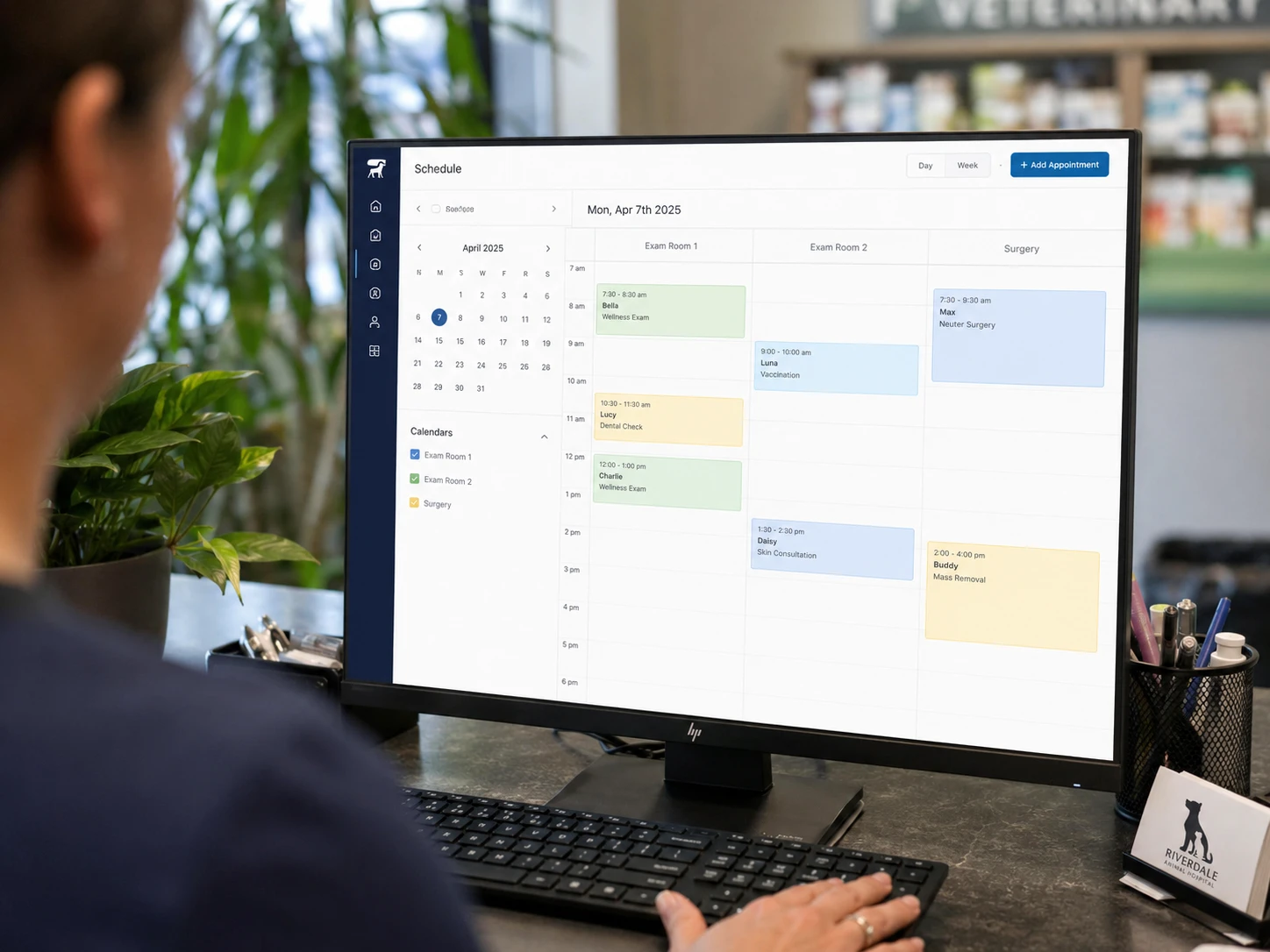
Online booking is where depth separates the specialists from the generalists. The hard part is not putting a "request appointment" button on a website; it is encoding your scheduling rules so that clients book the right appointment type, with the right provider, in a slot that actually exists, and have it land cleanly in the PIMS without a staff member retyping it. Ask whether booking is real-time against your calendar or a request that staff still have to confirm, because those are very different products wearing the same label.
Reminders and recall are deceptively important. The differentiators are multi-channel delivery (text, email, push, and sometimes postcard), whether confirmations write back into the PIMS automatically, and how intelligently the system identifies who is due or overdue. The best reminder logic is proactive, surfacing the lapsed client and the second pet, not just echoing tomorrow's schedule.
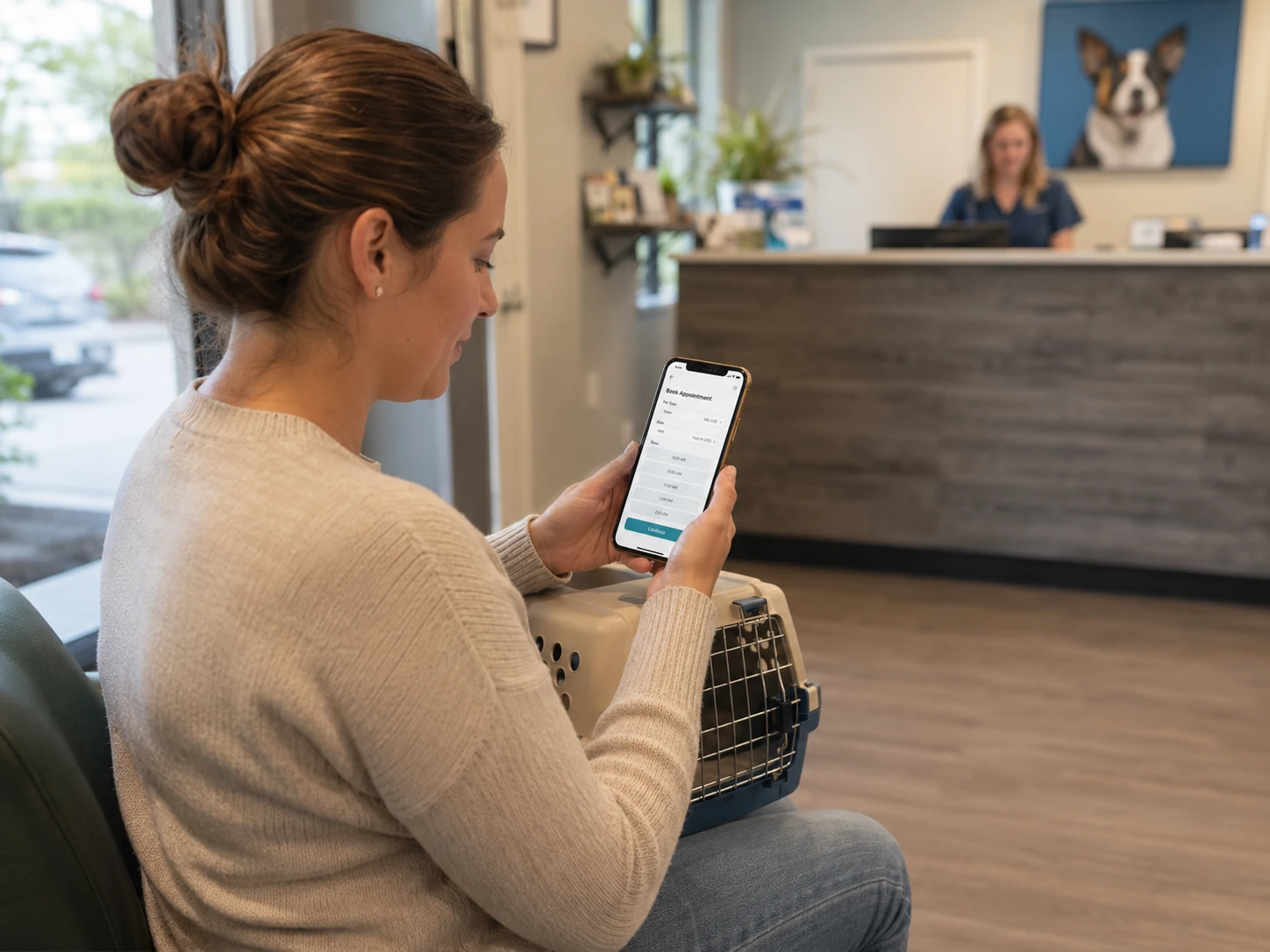
The client-facing mobile app is a strength for some vendors and an afterthought for others. The questions worth asking: is it the practice's brand or the vendor's, what can a client actually do inside it (records, refills, booking, payments, messaging), and what share of clients realistically download and keep it. A beautiful app that thirty percent of clients install is doing less work than a plain text channel that reaches everyone.
Marketing automation, reputation management, and reviews are the features that push a product from the first category into the second. Evaluate whether the tool can segment your list and send targeted campaigns, whether it automatically requests reviews at the right post-visit moment and routes feedback intelligently, and whether any of it is something your team has the time to operate. Sophistication you will not use is a cost, not a feature.
Payments are increasingly bundled in, and the deciding questions are whether clients can pay from a text or app link, whether payment posts back to the PIMS, and what the processing economics look like, because the per-transaction rate can quietly outweigh the software subscription.
Finally, AI features have arrived in this category in two flavors that should not be conflated. One is the AI scribe that drafts medical notes, now offered by several of these vendors as an add-on; if that is a priority, evaluate it on its own terms, and against dedicated scribe tools, rather than letting it sell the communication suite. The other is AI applied to communication itself: drafting replies, triaging the inbox, summarizing threads. Both are moving fast, both are uneven in quality, and neither should be the reason you choose a platform you would otherwise not choose.
What veterinary client communication software typically costs
Pricing in this category is frustrating to compare because most vendors do not publish it, quote per practice rather than per seat, and structure their plans differently enough that a clean apples-to-apples table is nearly impossible. Still, the patterns are knowable.
Pure point tools and lean all-in-ones tend to sit at the lower end, often a few hundred dollars a month for a single-location practice, with the value-priced players competing hard on transparent, all-inclusive pricing. The broad suites cost more, and the cost is usually modular: a base communication subscription, then separate line items for online booking, a phone system, marketing, or a scribe. Third-party listings put a flagship app product in the high three figures per month, with booking and other modules adding meaningfully on top; treat any specific number as dated by the time you read it. The bundle players invert the model entirely; Vet2Pet can be effectively free as software when taken inside a Vetsource Prescription Management relationship, which only makes sense to evaluate as part of that larger arrangement.
The ROI math is where the conversation should actually happen, and it is more favorable than the sticker price suggests for most practices. Two levers do the heavy lifting. The first is staff time: if a tool removes even one to two hours of phone and confirmation work per day, the labor it frees up frequently exceeds the subscription on its own. The second is revenue: a measurable drop in no-shows plus a modest lift in re-booked lapsed clients adds up quickly, because each recovered visit carries the full margin of a visit that would not otherwise have happened. A practice that books even a handful of additional appointments a week because the reminder system flagged overdue patients has usually paid for the software several times over.
The cost that buyers consistently underestimate is not the subscription. It is the switching and integration cost: the staff hours to implement, the data to map, the workflows to rebuild, and the friction of moving off a tool that did not work out. Those costs are real and they recur every time you change platforms, which is why the total cost of ownership over several years matters more than the monthly quote. Running the numbers across a full term, rather than month one, is the single most clarifying exercise in this category, and a structured five-year total-cost-of-ownership view will reframe more decisions than any feature list.
Implementation considerations
The deciding factor in whether one of these tools succeeds is rarely the feature set. It is the implementation. A few things are worth planning for before you sign.

Start with the integration. Confirm, in writing and ideally in a live test, exactly how the tool connects to your specific PIMS, including your version. Find out how often it syncs, whether it writes back (confirmations, new appointments, notes) or only reads, and what happens when the sync fails. The gap between "integrates with your PIMS" on a website and what the integration actually does day to day is where most disappointment lives. Before you can even judge an integration, you need a clear picture of how your practice runs today, so it pays to document your current workflows before you start evaluating tools.
Plan for client adoption as its own project. The software does not deliver value until clients use it, and getting clients to install an app, opt into texting, or book online takes deliberate effort: front-desk scripts, signage, email campaigns, and a few weeks of consistent nudging. Ask the vendor what adoption support they provide and what realistic adoption rates look like for a practice your size, then assume the work falls partly on you regardless of the answer.
Decide who owns the inbox. A two-way messaging tool without a clear internal protocol becomes a source of dropped balls and angry clients. Before launch, settle who monitors messages, during what hours, how fast you commit to responding, and what an after-hours auto-reply says. The tools that fail in practice usually fail here, not in the technology.
Set the reminder and automation cadence intentionally. The default settings will send something; whether they send the right things at the right frequency is up to you. Over-messaging trains clients to ignore you and generates opt-outs, while under-messaging leaves the no-show and recall value on the table. Budget time during onboarding to tune this, and revisit it after a month of real data.
Finally, treat references as a required step, not a courtesy. Talk to practices on your actual PIMS, ideally of a similar size, and ask the questions that matter: what broke, how support responded, how long implementation really took, and whether they would buy it again. A short, structured approach to checking references surfaces the problems that no demo ever will.
Ten questions to ask vendors during a demo
The right questions during a demo cut through the polish and surface the issues you would otherwise discover in month three. Ask these directly, and ask for specifics rather than reassurance.
-
Exactly which version of my practice management system do you integrate with, how often does it sync, and does the integration write back to the PIMS or only read from it?
-
Is your two-way texting true SMS, app-based push, or both, and how do clients opt in?
-
Is your online booking real-time against my calendar, or a request my staff still has to confirm manually?
-
What does your reminder logic do to identify overdue patients and second pets in a household, beyond simply echoing tomorrow's schedule?
-
Who owns the client-facing app experience, my brand or yours, and what is a realistic client adoption rate for a practice my size?
-
What is the all-in monthly cost for my number of locations and providers, including every module I would actually use, and what is billed separately?
-
If you process payments, what are the per-transaction rates, and does payment activity post back into my PIMS?
-
What does implementation involve, how long does it take start to finish, and what specifically is my team responsible for?
-
What happens to my data and my client communication history if I decide to leave, and what does offboarding look like?
-
Can you connect me with two or three reference practices on my PIMS and roughly my size that I can call directly?
Common mistakes practices make
The same handful of errors show up again and again when practices shop this category, and all of them are avoidable.
The most common is buying features instead of buying outcomes. It is easy to be seduced by the longest feature list and end up paying for marketing automation, loyalty programs, and an AI scribe that the team never has time to operate. The practices that succeed start from a specific problem (too many phone calls, too many no-shows, too many lapsed clients) and buy the tool that solves it, treating everything else as a bonus rather than a justification.
The second is underestimating the integration question. Practices fall in love with a demo running on clean sample data and never confirm how the tool behaves against their own PIMS, their own version, and their own messy real-world records. The result is double-bookings, sync delays, and reminders sent to patients who have died, all of which erode client trust faster than any feature can build it.
The third is ignoring who owns the inbox. A messaging tool is only as good as the team behind it, and practices that launch two-way texting without a clear monitoring and response protocol create a new channel for clients to feel ignored. The technology was never the problem; the absence of a plan was.
The fourth is treating consolidation as irrelevant. Buyers compare two products without realizing one now owns the other, or sign with an independent vendor without considering what happens if it gets acquired, or lock into a PIMS-bundled tool without weighing the switching cost later. The ownership map is not trivia; it shapes your leverage, your pricing, and your exit options, which is exactly why we led this article with it.
The fifth is skipping references and over-relying on the demo. A demo is a performance, and every vendor is good at it. The practices that avoid expensive mistakes are the ones that spend an hour on the phone with peers who already live with the product, because that hour reveals the support quality, the implementation reality, and the small daily frictions that no sales call will ever volunteer.
A simple framework for choosing veterinary client communication software

Strip away the marketing and the decision comes down to two variables: your practice size and your existing PIMS. Sort yourself honestly on both and the shortlist mostly builds itself.
Start with size, because it sets your category. A solo or small independent practice with limited admin time is usually best served by a focused, value-priced tool that solves the one or two problems hurting most, rather than an enterprise suite whose advanced capabilities will sit unused while you pay for them. A growing multi-doctor practice typically benefits from moving up into the communication-plus-marketing category, where retention and reactivation features start to earn their keep. A multi-site group has a genuinely different problem: standardization, centralized reporting, and managing one platform across many hospitals, which pushes the conversation toward the all-in-one platforms with real enterprise tooling. Matching tool ambition to practice scale is the single most reliable way to avoid both overpaying and outgrowing your choice.
Then layer in your PIMS, because it sets your constraints. Confirm which communication tools integrate deeply with your specific system, and weigh whether your PIMS already includes native communication that is good enough; for some practices, the most cost-effective answer is to use what is built in and skip the separate vendor entirely. If you are on a modern cloud platform with strong native messaging, the marginal value of a bolt-on tool is smaller than the vendors will tell you. If you are on an older or thinner system, a strong PIMS-agnostic tool can be transformative. And if you are weighing a PIMS change anyway, sequence it deliberately, because choosing your communication layer before you have chosen your PIMS is building the second floor before the first. Practices in that position should work through a migration plan first, then revisit the communication decision once the foundation is settled.
Hold the two variables together and the field narrows fast. Size tells you which category to shop. Your PIMS tells you which products in that category are actually viable and whether you need a separate product at all. What is left is a shortlist of two or three, which is exactly the point at which references and a careful read of the total cost over several years should make the final call.
Closing thought
The category has changed more in the last three years than in the decade before it, and most of that change has been consolidation. The names practices still type into a search bar increasingly belong to a smaller set of parent companies, while a handful of well-funded independents push the other direction. The lesson for a buyer is not that consolidation is good or bad. It is that the surface of this market no longer tells you the truth about what sits underneath it, and that the right tool depends far more on your size, your PIMS, and the specific problem you are solving than on which logo has the most brand recognition. The practices that choose well are not the ones that pick the most popular product. They are the ones that get clear about what they actually need before they ever sit through a demo.
If you would rather not navigate that alone, the PIMS Selection Navigator is a fixed-fee, practice-side engagement built to do exactly this work with you: define the real requirement, map it against the current landscape, and run a structured, vendor-neutral evaluation that ends in a confident decision. You can learn more at vetsoftwarehub.com.
About the Author

Adam Wysocki
Contributor
Adam Wysocki, founder of VetSoftwareHub, has over 35 years in software and almost 10 years focused on veterinary SaaS. He creates practical frameworks that help practices evaluate vendors and avoid costly mistakes.
Connect with Adam on LinkedIn


