Veterinary Software Buyer’s Guide 2026: How to Choose Vet Software Without Regret
The veterinary software guide for busy clinics, demos, contracts, support, and what to verify before you buy.

Updated June 2026
TL;DR: How to choose veterinary software without regret
To choose veterinary software without regret, start by defining the specific problem you need to solve, then judge each vendor on four things that rarely show up in a demo: support responsiveness, implementation and data migration, data portability, and how well integrations actually work together. Map one real appointment from your own hospital end to end to expose where your current workflow breaks, and turn those breakpoints into your requirements. Bring the people who feel the daily pain into the decision early, and slow down on the contract terms, since that is where pricing increases and exit fees hide. The right choice tends to feel like relief, not a gamble.
At 7:12 a.m. on a Monday, the lobby is already full.
A client is holding a carrier like it is a briefcase. A tech is trying to triage three patients at once. The phones are lighting up. Someone in the back is asking, again, “Is the lab machine connected today or are we doing the copy and paste thing?”
And the practice manager is staring at a spinning wheel on a screen that costs more per month than the clinic’s espresso habit.
That is usually how a veterinary software project begins, not with a grand vision, but with a moment of friction that finally becomes too loud to ignore.
If you are here because your team is considering new veterinary software, or because your current vet software is starting to feel like the weakest link in your hospital, you are not alone. The demand is the same everywhere: fewer clicks, fewer workarounds, fewer surprises, and a day that ends on time more often than it doesn’t.
This guide is not an instruction manual. It is more like a walk-through of how the best decisions actually get made in real companion animal hospitals, with real constraints, real personalities, and real consequences.
Because choosing veterinary software is never just choosing software.
It is choosing how your hospital feels to work in.
The moment you realize it is not “a software problem”

Most practices do not wake up one day and casually decide to switch vet software. They arrive there the way people arrive at changing anything that is deeply embedded in their daily lives: by collecting small frustrations until one day they add up to certainty.
Sometimes the trigger is obvious, like:
-
A price increase that makes your stomach drop.
-
A support experience that turns one issue into three.
-
A new doctor who walks in and says, “Wait, you still do it this way?”
-
A growth spurt, more doctors, more appointments, more chaos.
-
An ownership change, a remodel, a second location, a new service line.
Other times it is subtler. You notice the team building silent workarounds. You notice that training takes longer than it should. You notice that your best technician has become the unofficial “software translator.”
The important shift is this: the best veterinary software decisions happen when the practice stops asking, “Which vet software is best?” and starts asking, “What do we need our hospital to be good at?”
That question changes everything.
What you are really buying when you buy veterinary software
Veterinary software looks like a set of features on a website. In the hospital, it behaves more like infrastructure. It becomes the nervous system of the operation.
You are not buying screens. You are buying consequences.
You are buying how quickly a new CSR can find the right patient, how reliably a doctor can write a note without losing their train of thought, how easily a manager can pull a report they trust, how smoothly you can collect payment without turning the end of a visit into a second visit.
And you are also buying the invisible parts, the parts that rarely show up in a demo:
Support. Not “support exists,” but support when your team is blocked at 4:45 p.m. on a Friday.
Implementation. Not “we onboard you,” but what actually happens when your data import is messy, your workflows are unique, and your staff is tired.
Data and portability. Not “you can export,” but whether you can export in a usable format, without surprise fees, and without feeling trapped.
Integrations. Not “we integrate,” but whether your connected tools behave like a system or like a pile of duct tape.
If you keep those four things in your line of sight, you will make a better veterinary software decision even if you never memorize a single feature list.
What to verify before you buy veterinary software
Before choosing veterinary software, verify these four things that rarely show up in a demo:
- Support: Confirm response times by severity, whether support is included or tiered, and exactly who your team reaches when the system goes down at 4:45 on a Friday.
- Implementation: Ask what really happens when your data import is messy and your workflows are unique, where clinics usually get stuck, and what support looks like after go-live, not just during onboarding.
- Data portability: Make sure you can export your data in a usable format, without surprise fees, so you are never trapped if you decide to leave.
- Integrations: Check that your connected tools (labs, payments, reminders, imaging) share data reliably both ways, and find out who owns the problem when something fails to sync.
The 7 core types of veterinary software
There are seven core types of veterinary software, and most hospitals end up combining several rather than buying one tool that does everything. Here is how the main categories differ and which problem each one solves.
| Software type | What it does | Best for | Explore the category |
|---|---|---|---|
| PIMS (practice management) | The system of record that runs scheduling, medical records, billing, and reporting. The backbone everything else connects to. | Every practice; it is the hub your other tools plug into. | Practice Management |
| AI scribe | Listens to the exam and drafts the medical note for you, cutting documentation and after-hours charting time. | Doctors losing hours to SOAP notes. | AI Scribe |
| Appointment scheduling | Manages the appointment book, online booking, and reminders to fill slots and reduce no-shows. | Front desks fighting phone volume and gaps in the schedule. | Appointment Scheduling |
| Client communications | Two-way texting, reminders, follow-ups, and education that keep clients informed between visits. | Practices with high no-shows or weak follow-up. | Client Communications |
| Payments | Captures payment at checkout, online, and through plans so the end of a visit does not become a second visit. | Clinics with slow checkout or collection headaches. | Payments |
| Pharmacy | Online pharmacy and prescription management that adds convenience and recaptures script revenue. | Practices losing prescriptions to big online retailers. | Pharmacy |
| Telemedicine | Virtual visits and triage for follow-ups and remote or mobile care. | Practices extending hours or serving remote clients. | Telemedicine |
What veterinary software actually costs (and where the fees hide)
Veterinary software cost is rarely just the monthly subscription. Pricing is usually billed per user, per location, or per module, so the sticker price you see in a demo can look very different from the invoice you pay once your whole team is on the system. The real number depends on your practice size, how many users need access, which modules you turn on, and what it takes to get your data moved over. Smaller and mobile or solo practices often pay on a different scale than multi-location hospitals, so always price it against your actual setup rather than a headline figure.
The costliest surprises tend to show up after you sign, not before. When you are comparing veterinary software, ask directly about these hidden and switching-related fees:
- Implementation and onboarding fees, which are often one-time charges separate from the subscription.
- Data migration costs, especially when your existing records are messy or stored in a hard-to-export format.
- Per-user or per-seat charges that climb as you add doctors and support staff.
- Add-on module fees for features like reminders, payments, or telemedicine that are not in the base plan.
- Integration or API fees to connect labs, imaging, or payment tools.
- Payment processing markups baked into in-software checkout.
- Training fees beyond the initial onboarding session.
- Renewal increases and contract terms, including early termination or data export fees if you decide to leave.
None of these mean a vendor is being dishonest. They are simply the parts of the price that do not fit on a pricing page, which is exactly why you want them in writing before you commit.
The two kinds of teams that shop for vet software
After talking to a lot of companion animal hospitals, you start to see the same patterns.
There is the “we need to move fast” team. They are exhausted, the current vet software is draining them, and the goal is relief.
Then there is the “we need to get this right” team. They might be switching by choice, they might be planning for growth, or they might be building a tech stack intentionally.
Both teams can succeed. Both teams can also get burned.
The difference is not urgency. The difference is whether the practice knows what problem it is actually solving.
If you are switching veterinary software because the current system is slow, what do you mean by slow?
Slow scheduling. Slow checkout. Slow medical notes. Slow reporting. Slow support. Slow training. Slow integrations.
Different “slows” require different solutions.
And that is why the most important part of choosing vet software happens before you talk to vendors at all.
Start with a story from your own hospital
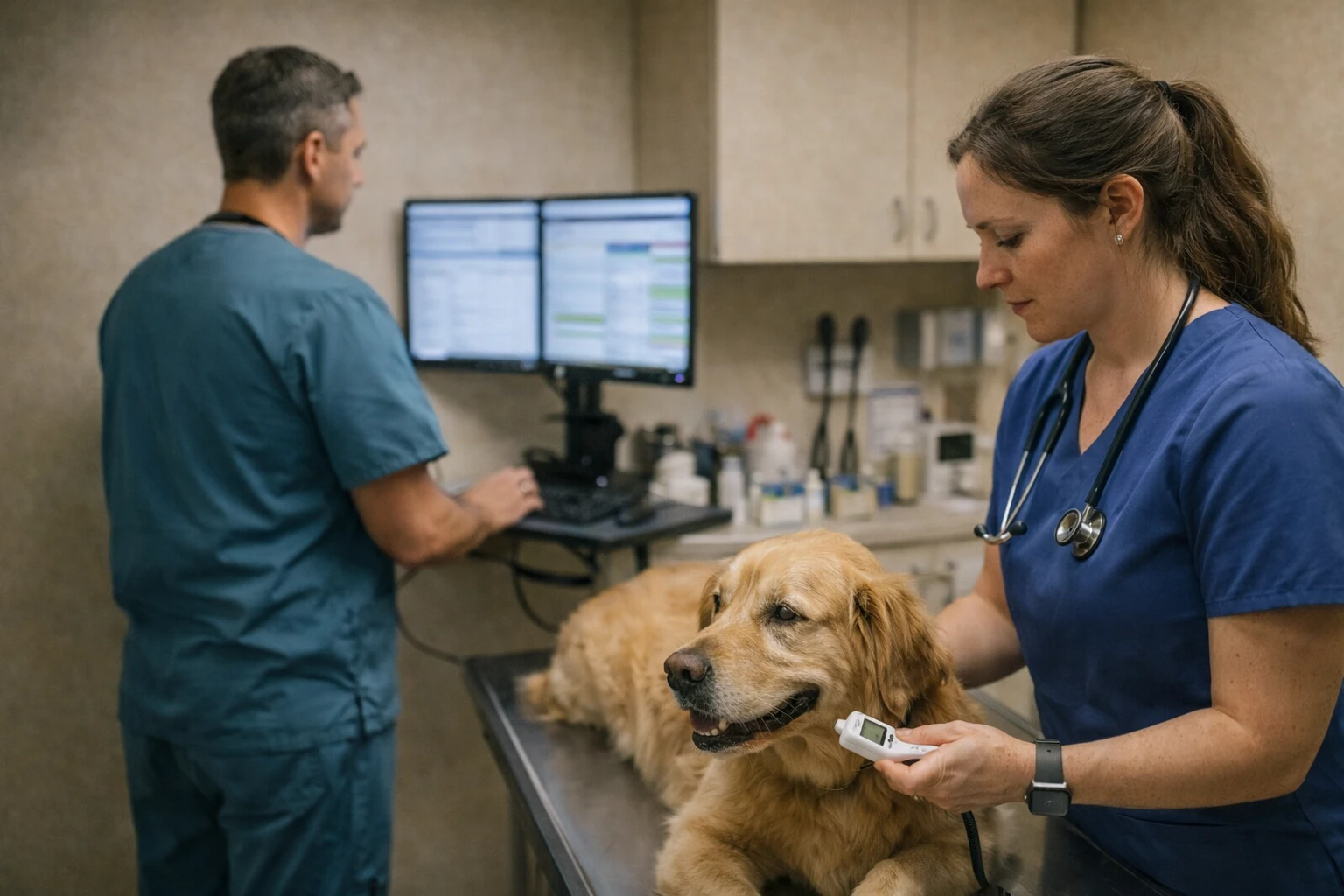
Here is a surprisingly effective exercise.
Pick one recent appointment, a normal one, not the worst day and not the best day. Walk through it in your head from start to finish.
It might look like this:
A client calls or books, the appointment is scheduled, reminders go out, the client arrives, you check them in, you record vitals, the doctor exams, diagnostics are ordered, estimates are approved, treatments happen, charges are captured, discharge instructions are sent, payment is collected, follow-up tasks are created, inventory is adjusted, and someone is supposed to remember to call in two days.
Now ask a simple question: where does the flow break?
Not where someone makes a mistake, but where your systems invite mistakes.
That is the birthplace of your requirements, and it is more honest than any “features” spreadsheet.
When practices do this exercise with a few appointment types (wellness, sick visit, surgery drop-off, urgent care), they stop thinking in terms of software categories and start thinking in terms of clinical reality.
That is what makes your vet software short list smaller, faster.
The best keyword in veterinary software shopping is “why”
A great demo is persuasive. A great salesperson is persuasive. A beautiful interface is persuasive.
But the most expensive mistakes come from decisions made while you are still slightly unclear on your “why.”
So ask yourself, and be annoyingly specific:
Why are we considering new veterinary software this year, not next year?
Why does this matter to patient care?
Why does this matter to staff retention?
Why does this matter financially?
If you can say those “whys” out loud in one minute without rambling, you are ready to evaluate vet software.
If you cannot, you are still in discovery, and that is fine. Discovery is where you avoid regret.
Picture your vet software as a cast of characters

Let’s turn this into something more real.
Imagine a typical practice decision meeting. The owner is there. The practice manager is there. A lead technician is there. A CSR who knows the appointment book like a chessboard is there. Sometimes an associate veterinarian joins, sometimes the “tech person” who keeps the internet alive.
Each person wants something different from veterinary software.
The owner wants confidence. They want to know the decision will not disrupt revenue or reputation.
The practice manager wants predictability. They want reliable reporting, clear permissions, fewer surprise problems.
The tech wants flow. They want fewer clicks, fewer interruptions, better communication between rooms and roles.
The CSR wants speed and clarity. They want scheduling that makes sense, reminders that reduce no-shows, checkout that does not spark arguments.
The doctor wants clinical momentum. They want notes that do not fight them, tools that do not break their concentration, fewer moments where the software becomes the patient.
If your evaluation process only listens to one of these voices, you will buy veterinary software that makes one person happy and everyone else quietly resentful.
The best vet software decisions are made when you let each role tell their story, then you treat those stories as requirements.
The demo is not a performance, it is an audition
A veterinary software demo can feel like a magic show. There is always a way to make things look smooth when the path is scripted.
So instead of letting the vendor drive, try this mindset:
You are not watching a performance. You are auditioning the product for a role in your hospital.
That changes what you pay attention to.
You start noticing whether the flow feels natural or whether the rep is doing clever workarounds. You notice what they skip. You notice what they avoid answering directly.
Here are a few questions that tend to reveal reality quickly (use them conversationally, not like an interrogation):
How does this work on a busy day, with interruptions?
What does a brand-new CSR learn first, and what do they struggle with?
Where do clinics usually get stuck during implementation?
What does support look like after go-live, not during onboarding?
If we want to leave one day, what does exporting our data look like?
You do not need a long list. You just need a few questions that force the product to behave like it would behave in your hospital.
The difference between “integrated” and “actually works together”
Most veterinary software lives in an ecosystem now. Practice management software touches scheduling, payments, reminders, imaging, labs, inventory, client communication, online pharmacy, analytics, and sometimes even marketing.
Vendors will say they “integrate.”
What they usually mean is one of three things:
-
They have a true integration where data flows both ways reliably.
-
They have a one-way connection, often limited, often fragile.
-
They have a partnership announcement and a roadmap.
Only the first one feels like a system.
So as you think about vet software, do not just think about “do we have the integration.” Think about “what happens when something goes wrong.”
When a lab result fails to post, who owns that problem?
When a reminder did not go out, where do you look?
When charges do not match, who reconciles it?
Integration is not a checkbox. Integration is operational trust.
If your practice is moving toward a best-of-breed stack, this becomes even more important, because the stack is only as strong as the seams between tools.
Support is the part you will remember most
Here is a weird truth.
A year after you purchase veterinary software, nobody will remember the demo.
They will remember support.
They will remember the time the phones were down. They will remember whether your team could reach someone who understood the issue. They will remember whether the vendor treated your hospital like a partner or like a ticket number.
When evaluating vet software, try to get specific about support expectations:
What are typical response times by severity?
Is support included or tiered?
Do you get a dedicated contact, and if so, for how long?
How does after-hours support work, if at all?
What does escalation look like when you are truly stuck?
You can be flexible on a lot of things. Support is not one of them. In a companion animal hospital, delays are not abstract. They land on people, pets, and paychecks.
Contracts are where regret hides
Most veterinary teams do not love reading contracts. That is normal.
But the reason contracts matter in veterinary software is simple: the contract defines your leverage after the honeymoon ends.
This is where you want clarity around things like:
Pricing changes over time.
Implementation scope and what counts as extra.
Data export terms.
Integration fees.
Minimum terms and renewal language.
What happens if the vendor misses obligations.
You do not need to become a lawyer. You just need to slow down at the parts that determine whether you are free or trapped.
A good veterinary software contract should feel like a relationship with boundaries, not a maze with surprises.
How to switch veterinary software in 5 phases
Switching veterinary software is as much a human project as a technical one, and most of the stress comes from underestimating that. The biggest challenges of changing veterinary software are rarely the technology itself. They are messy data migration, the learning curve for staff, and the short-term productivity dip while everyone adjusts. Naming those realities early, and giving the team grace through them, does more for a smooth transition than any training portal. Breaking the move into clear phases keeps it from feeling like one overwhelming leap.
Here is how a well-run switch typically unfolds:
- Plan and prepare. Document your current workflows, define what a better day-to-day should look like, set a realistic timeline, and name one person to lead the project so it does not fall through the cracks.
- Migrate and clean your data. Export your existing records, decide what to bring over, map the fields to the new system, and run a test import before you trust it. This is where most timelines slip, so build in buffer.
- Configure and integrate. Set up your workflows, user permissions, and templates, then connect your labs, payments, imaging, and reminders and confirm data actually flows both ways.
- Train and pilot. Train the team on real scenarios, not a generic demo, and run a soft launch or parallel period so staff build confidence before the full cutover.
- Go live and stabilize. Make the switch with extra support on hand, expect a rough first few weeks, and track the issues that surface so you can resolve them quickly. Most practices settle into the new system within a few weeks.
How to know you are ready to decide
There is a point in every buying process where the team stops collecting information and starts craving closure. That is normal too.
Here are a few signs you are genuinely ready to choose veterinary software:
You can describe your current pain in one sentence that everyone agrees with.
You have seen the product handle your real workflows, not just a generic scenario.
You have talked to at least one reference clinic that feels similar to yours.
You understand what implementation will look like, including the parts that could go wrong.
You feel calm about the contract, not just excited about features.
Calm is an underrated signal. When a vet software decision is right, it tends to feel like relief, not like gambling.
One more thing, do not shop alone
The most common failure mode in veterinary software selection is isolation.
A practice manager tries to carry the entire project alone. An owner delegates it entirely and only reappears at contract time. A doctor pushes for a tool without understanding the operational ripple effects.
The best decisions are shared decisions, even if one person leads the process.
If you are a hospital leader reading this, here is the gentlest advice I can give:
Bring the people who feel the pain into the process early, and you will spend less time managing the consequences later.
Where VetSoftwareHub fits in your process
If your next step is building a shortlist, the easiest move is to start by browsing categories of veterinary software, then narrow based on what your hospital needs to be good at.
That is the point where VetSoftwareHub can help, not by telling you what to buy, but by helping you explore the landscape without getting pulled into a sales cycle too early.
Consider using VetSoftwareHub like a map:
-
Start broad (what category solves this problem?).
-
Go narrow (which tools fit our workflow and constraints?).
-
Go deeper (what questions do we need to ask in demos?).
Frequently asked questions
What is the most popular veterinary software?
There is no single most popular veterinary software, because the best fit depends on practice size and type. Established clinics often run long-standing practice management systems, while newer cloud-based and mobile-friendly platforms are growing quickly. Rather than chasing one winner, compare options by the category that matches the problem you need to solve.
What software do vet offices use?
Most vet offices run a practice management system (PIMS) as the core, then layer on add-ons: appointment scheduling, client communications, payments, an AI scribe for notes, online pharmacy, and sometimes telemedicine. In practice it is usually a connected stack of tools rather than one piece of software doing everything.
How much does veterinary software cost?
Veterinary software pricing varies widely and is usually billed per user, per location, or per module, so two clinics can pay very different amounts. The main cost drivers are your practice size, the number of users, which modules you add, and one-time implementation or data migration fees. Always ask vendors about hidden and renewal fees before signing.
How do I choose veterinary practice management software?
Start by defining the specific problem you need to solve, then map one real appointment from check-in to follow-up to find where your current workflow breaks. Evaluate each vendor on support, implementation, data portability, and integrations, involve the team that feels the daily pain, and read the contract carefully before committing.
How hard is it to switch veterinary software?
Switching veterinary software is manageable, but it is as much a human project as a technical one. The main challenges are data migration, staff training, and a short-term dip in productivity. With a phased rollout, clear communication, and realistic expectations, most practices move through the rough patch and stabilize within a few weeks.
Closing thought
The goal is not to find perfect veterinary software. Perfect does not exist.
The goal is to find vet software that makes your hospital feel more capable, more predictable, and less exhausting to run.
Software should not be the thing your team fights with every day.
It should be the thing that gets out of the way so the work can happen.
About the Author

Adam Wysocki
Contributor
Adam Wysocki, founder of VetSoftwareHub, has over 35 years in software and almost 10 years focused on veterinary SaaS. He creates practical frameworks that help practices evaluate vendors and avoid costly mistakes.
Connect with Adam on LinkedIn


